A restaurant website, direct ordering and kitchen view in one subscription.
Import a menu from a photograph, take BLIK and card payments, control ordering hours and see which guests return — without stitching together separate tools.

All features
From your website and menu to kitchen operations, catering and reservations. A custom domain is available with Pro.
Website and menu
- Restaurant website
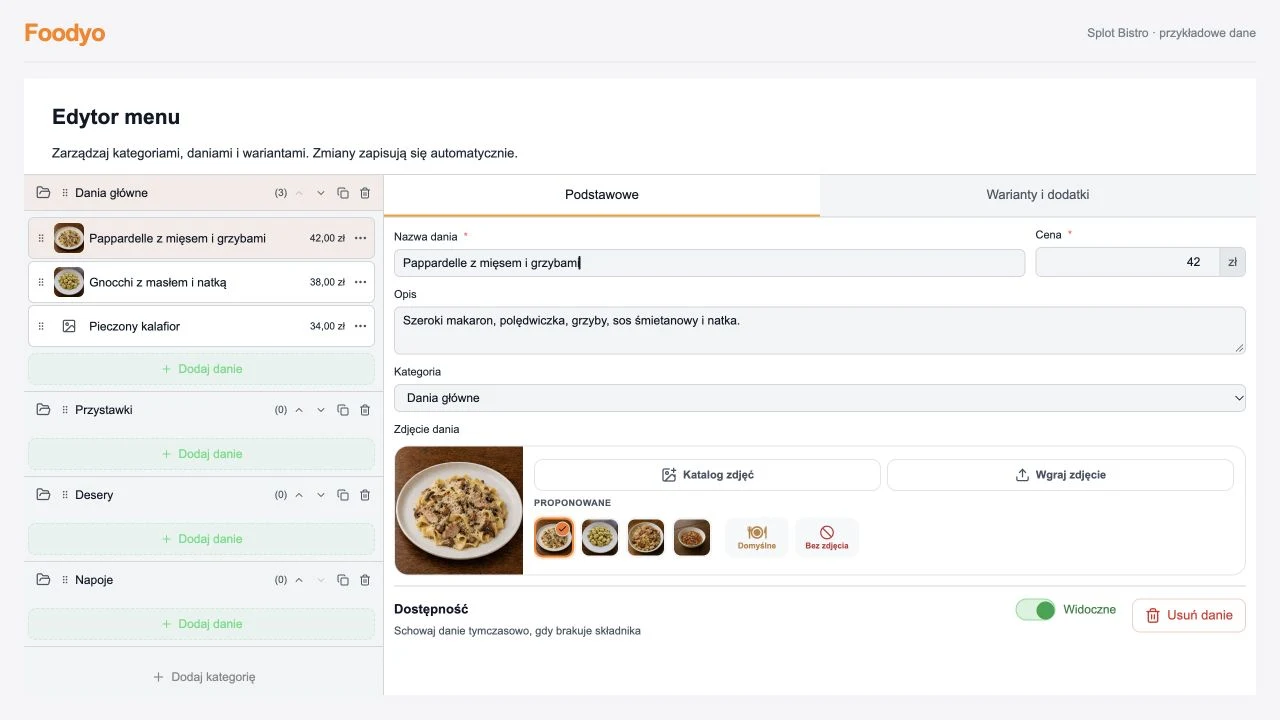
- Menu import from a photograph or PDF
Review extracted categories, dishes and prices before publishing.
- Menu with variants and extras
- Restaurant photo gallery
- Custom domainPro
- SSL certificate
- Local SEO foundation
- Backups
Orders and payments
- Direct online ordering with no order-count limit
- BLIK, cards and bank transfers
- Promotions and discount codes
Happy hours, percentage discounts, order-value rewards and basket codes.
- Ordering schedule
Ordering hours, holidays and exceptions.
- Collection orders
Kitchen and delivery
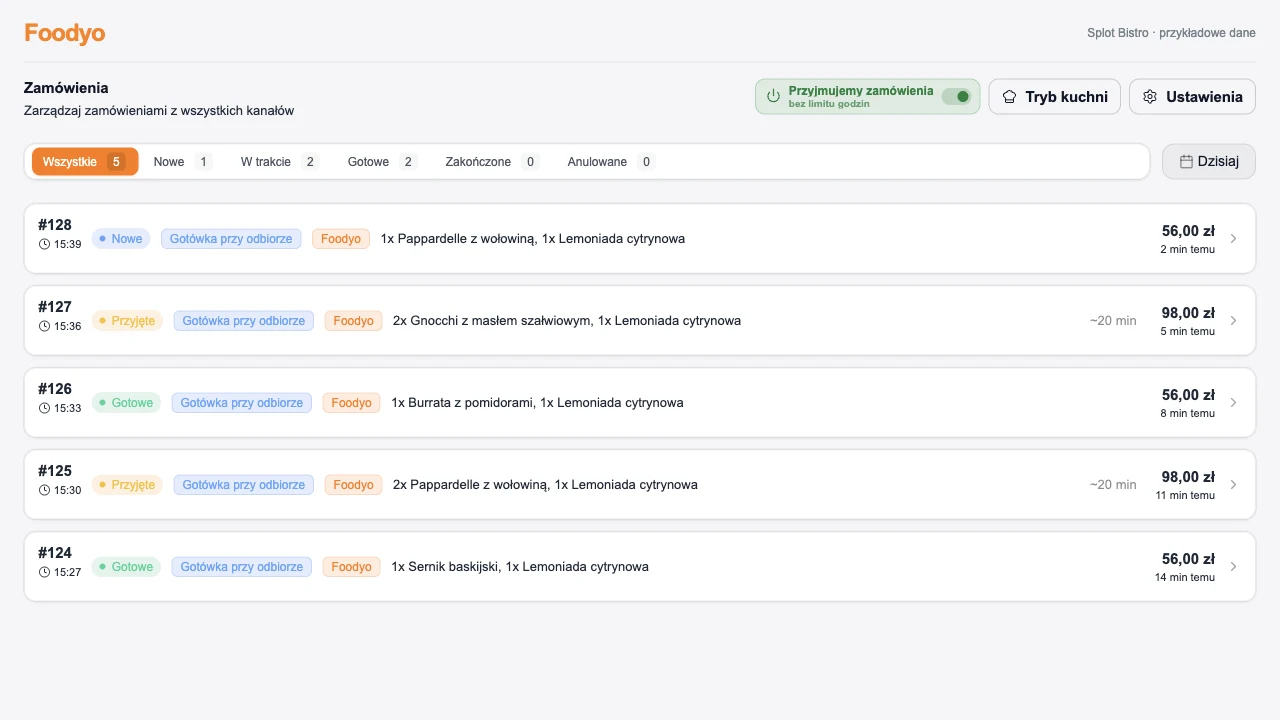
- Live order dashboard
New, preparing and ready order statuses.
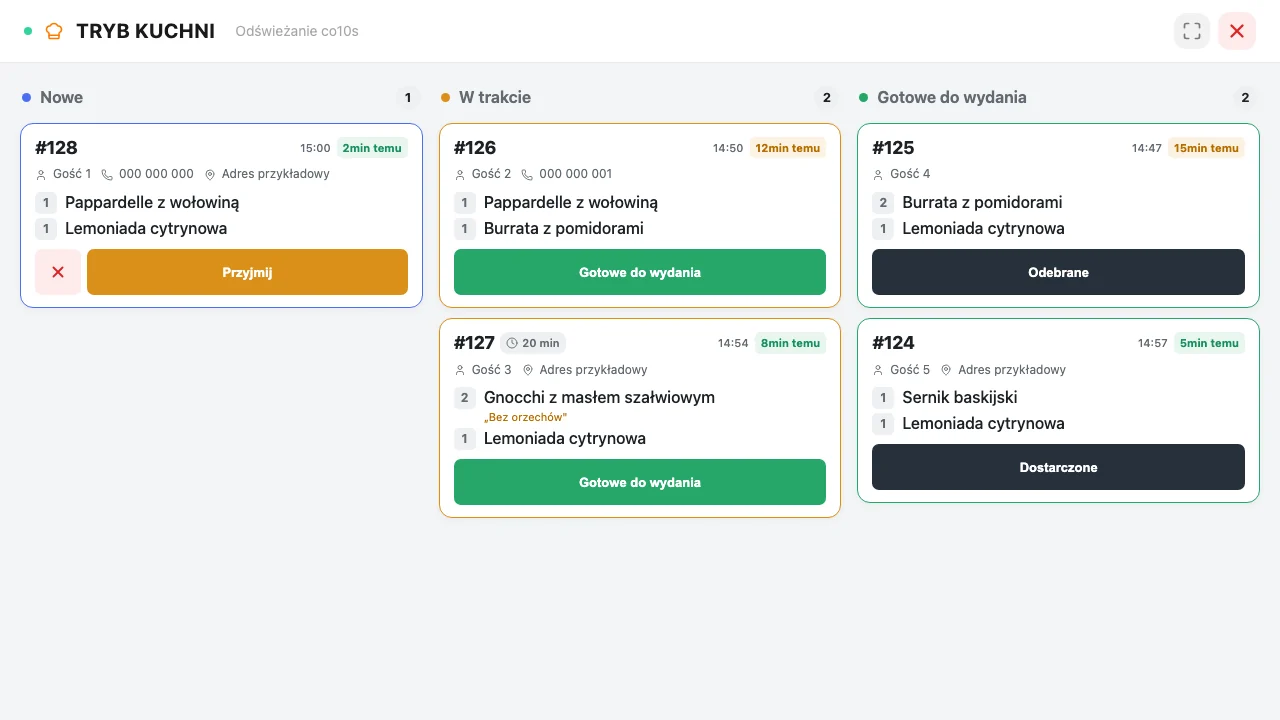
- Tablet kitchen view and A6 printing
- Mobile restaurant panel
- New-order alerts
- Telegram notifications
- Delivery to an address
Map-based zones with minimum orders and fees, or distance-based delivery pricing.
Catering
- Plan your menu ahead
Assign dishes to dates and set how many portions you can sell.
- Know what to prepare and where to deliver
See ordered portions by dish, delivery time and location.
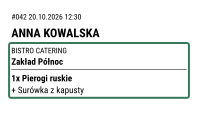
- Every package has a recipient
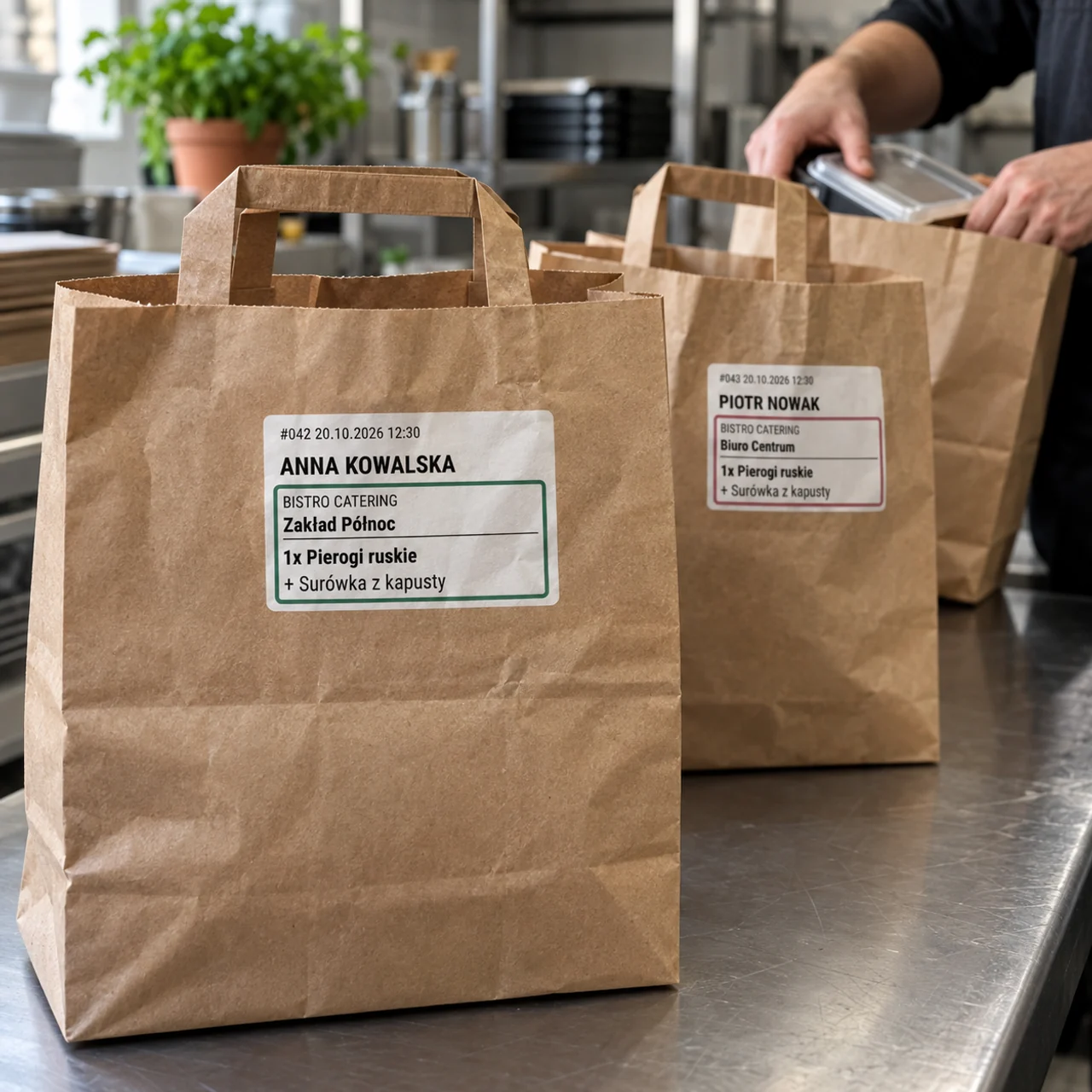
Print labels with the customer’s name, dish and delivery location colour.
Table reservations
- Availability based on your tables
Account for table sizes, visit duration and opening hours.
- Choose how to confirm bookings
Accept reservations automatically or approve them in the dashboard.
- Your day at a glance
Check times, party sizes and notes. Add bookings taken over the phone too.
Customers and statistics
- Customer database and order history
Contact details, previous orders and customer value together.
- Revenue, average basket and top dishes
One panel instead of several applications
Menu, orders, payments, opening hours and delivery settings stay together on desktop and mobile.
Catering in Foodyo
From daily menus to packed meals.
Customers choose their meals, delivery date and location. They order on your website in their browser, with no app to install.
Plan your menu ahead
Assign dishes to dates and set how many portions you can sell.
Know what to prepare and where to deliver
See ordered portions by dish, delivery time and location.
Every package has a recipient
Print labels with the customer’s name, dish and delivery location colour.
Reservations in Foodyo
Guests choose a time. You prepare their table.
The form on your website shows available times for the party size. Manage online and phone bookings in one dashboard.
Availability based on your tables
Account for table sizes, visit duration and opening hours.
Choose how to confirm bookings
Accept reservations automatically or approve them in the dashboard.
Your day at a glance
Check times, party sizes and notes. Add bookings taken over the phone too.
Availability depends on the date and party size.
We’ll help you at every stage.
We can help with your menu, design and orders. We can also prepare the entire website for you — just send us a message.
Frequently asked questions
How much does Foodyo cost and are these features included?
The available tools on this page are included in the subscription, starting from PLN 49 net per month with annual billing (PLN 59 with monthly billing). Start includes the website, menu, ordering, hosting and SSL. Pro is PLN 109 net with monthly billing and adds a custom domain. There is no per-feature or per-order-count surcharge.
Does Foodyo charge commission on restaurant orders?
Foodyo commission is 0% on orders paid on collection or delivery. Online BLIK and card payments carry a total 2% transaction fee including the payment operator. There is no monthly order-count limit.
Do I need a developer or agency?
No. The creator builds the first version and you later update the menu, prices, opening hours and design in the no-code editor and panel.
Do I have to type the whole menu manually?
No. Upload a photograph or PDF and Foodyo extracts categories, dishes and prices. You review and correct the draft before publishing it.
See a preview for your restaurant
Enter your venue details and move straight into editing without waiting for a quote or sales call.